Editing
Project library and editor basics
Open local work and understand the preview, controls, and timeline.
Open a project
Your recent work appears in the project library. Open a project to return to its saved editor state.
Projects point to local media on your Mac. Keep source files available until the work is finished.
Learn the editor
The preview shows the finished frame. The sidebar holds controls for the selected tool or layer. The timeline controls when clips, audio, captions, and other media appear.
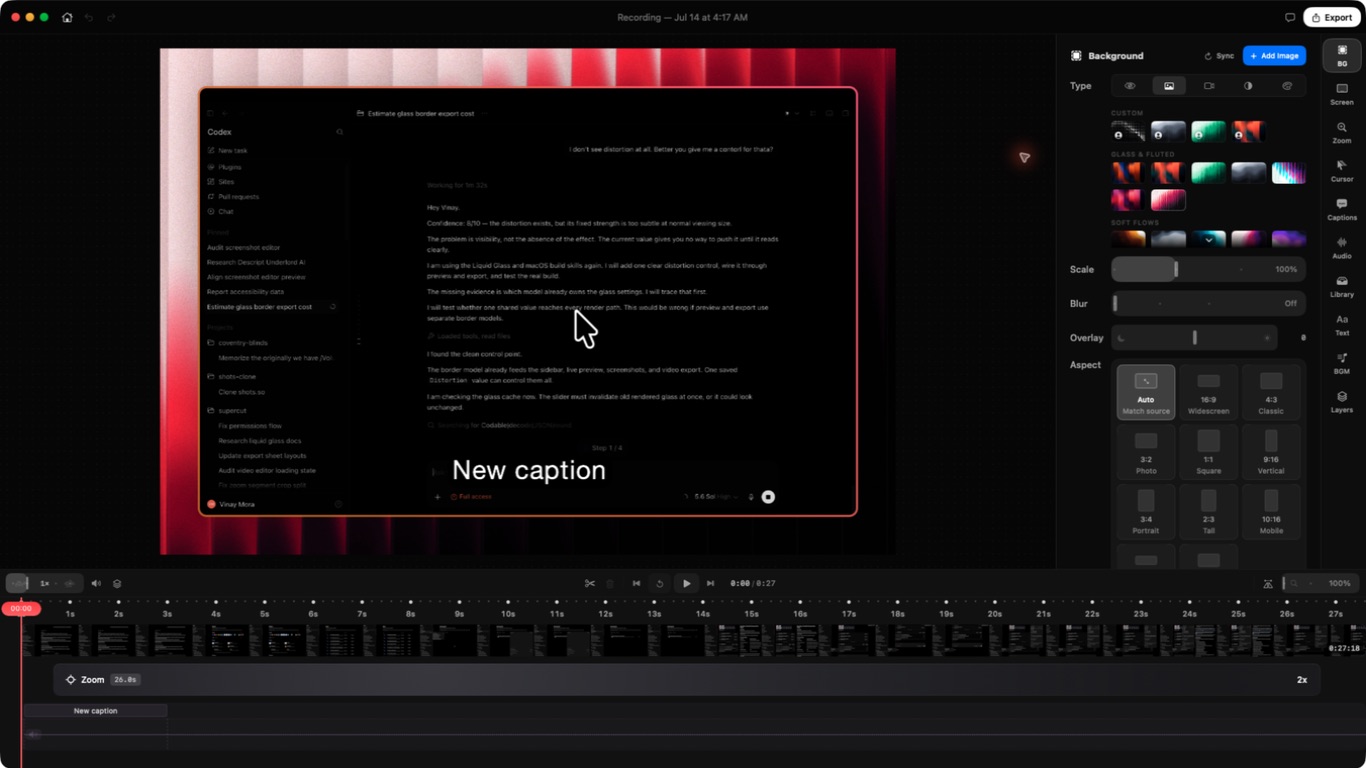
Choose an item in the preview or timeline before changing it. Saryu shows the controls that belong to that selection.
Save your work
Saryu saves project changes as you work. Export creates a new media file and does not replace the project.
Keep the project when you may need another size, format, or edit later.
Need a human?
Still stuck?
Send a bug report with the right area already selected. Use email for private account or payment questions.